


- REVIEWS
Camera Reviews 
More Reviews Mobile Reviews Photography Reviews - GALLERIES
- VIDEOS
- BUYER'S GUIDES

|
Oct 28, 2011 |
First Published: Sep 01, 2011

|
Aug 09, 2011 |
First Published: Jul 01, 2011

|
Jun 07, 2011 |
First Published: May 01, 2011

|
Jun 20, 2011 |
First Published: May 01, 2011
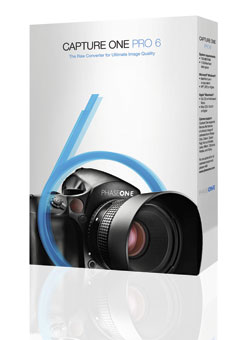 For serious photographers, the software you choose for a photographic workflow falls into good, better, and best buckets. The “good” bucket includes fairly mundane tools for basic image management, while “better” goes the extra step of providing image correction options and filters. The “best” tools provide tethered-shot features and robust metadata editing functions. At these upper ranks, the best software seems to predict your every move, mostly because the software developers are photo enthusiasts and understand real photographic needs.
|
Jun 28, 2011 |
First Published: May 01, 2011
 For years, anyone serious about photography has viewed Corel Paint Shop Pro (PSP) as the low cost alternative to Adobe Photoshop. Originally developed by a tiny company in Eden Prairie, Minnesota, Paint Shop has grown up into a full-featured photo workflow tool with a built-in photo organizer that includes tagging options and fast previewing, an advanced image editor, and handy integration with Flickr and Facebook.
|
Jun 30, 2011 |
First Published: May 01, 2011
 Nik Software has begun shipping Silver Efex Pro 2, a major upgrade to its Silver Efex Pro software. Silver Efex Pro 2 offers a unique darkroom-inspired workflow and the ability to fine-tune images with precise selective adjustments powered by U Point technology. The software’s new features include the History Browser for endless experimentation, revolutionary algorithms such as Dynamic Brightness, Amplify Blacks and Whites, Soft Contrast, and Fine Structure, plus finishing touches like Image Borders and selective colorization.
|
Apr 01, 2011

|
Mar 01, 2011

|
Mar 01, 2011

|
Mar 01, 2011

|
Dec 01, 2010

|
Nov 01, 2010
|
Oct 01, 2010

|
Oct 01, 2010


Pages
 FEATURED VIDEO
PHOTO OF THE DAY

Today’s photo is Shake Out by Linn Smith
eNEWSLETTER SIGNUP

Get the Latest Photo Tips, News & Reviews from Shutterbug!






| Camera Reviews Other Reviews | |
Mobile Reviews Photography Reviews Columns | |
News | |
Features | |
How-To | |
Resources |
 © 2026 Shutterbug
AVTech Media Americas Inc., USA
All rights reserved