


- REVIEWS
Camera Reviews 
More Reviews Mobile Reviews Photography Reviews - GALLERIES
- VIDEOS
- BUYER'S GUIDES

Software Reviews
Sort By: Post DateTitle Publish Date
|
Oct 28, 2011 |
First Published: Sep 01, 2011

|
Mar 01, 2011

|
Oct 01, 2010

|
Mar 08, 2021
|
Mar 08, 2012 |
First Published: Feb 01, 2012
 Operating as a plug-in for Lightroom, Aperture, or as a stand-alone workspace, Perfect Layers from onOne Software distills down and codifies the often-complex task of working in Layers to a fairly simple task, offering various Blend modes, composite shortcuts and tools that might otherwise pose a steep learning curve. You can use numerous source files, including Raw, TIFF, and JPEG formats, and scale and move the various layers as required. In short, Perfect Layers poses an effective tool for those who have wanted to work in Layers out of Aperture and Lightroom and opens up new doors to image creation.
|
Jul 26, 2012 |
First Published: Jun 01, 2012
 Judging by the popularity of facial retouching software, there seem to be a lot of people out there who want to make their subjects look like they just arrived off a private jet from Monte Carlo. And they want to do it fast, and not get bogged down with little technicalities like learning how to use Photoshop. So, is it possible to just press a button and instantly have a complexion that looks like J.Lo after an hour in the makeup chair? Well, that’s what we’re here to find out, so let’s take a look.
|
Oct 01, 2010

|
Mar 01, 2011
|
Sep 01, 2009
|
Feb 07, 2013 |
First Published: Jan 01, 2013
|
Nov 08, 2016

|
Jan 07, 2014 |
First Published: Nov 01, 2013

|
Sep 02, 2014

|
Jun 20, 2011 |
First Published: May 01, 2011
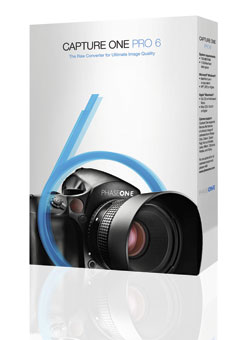 For serious photographers, the software you choose for a photographic workflow falls into good, better, and best buckets. The “good” bucket includes fairly mundane tools for basic image management, while “better” goes the extra step of providing image correction options and filters. The “best” tools provide tethered-shot features and robust metadata editing functions. At these upper ranks, the best software seems to predict your every move, mostly because the software developers are photo enthusiasts and understand real photographic needs.
Compact Camera NewsCompact Camera ReviewsDrone NewsDrone ReviewsDSLR NewsDSLR ReviewsLens NewsLens ReviewsLighting NewsLighting ReviewsMedium Format Camera NewsMedium Format Camera ReviewsMirrorless Camera NewsMirrorless Camera ReviewsPhoto Accessory NewsPhoto Accessory ReviewsPhoto Bag NewsPhoto Bag ReviewsPhoto Book ReviewsPhoto Gallery Show ReviewsPOV Camera NewsPOV Camera ReviewsPrinter NewsPrinter ReviewsSmartphone NewsSmartphone ReviewsSoftware NewsSoftware ReviewsTripod NewsTripod ReviewsVideo Camera NewsVideo Camera Reviews
Pages
 FEATURED VIDEO
PHOTO OF THE DAY

Today’s photo is Shake Out by Linn Smith
eNEWSLETTER SIGNUP

Get the Latest Photo Tips, News & Reviews from Shutterbug!






| Camera Reviews Other Reviews | |
Mobile Reviews Photography Reviews Columns | |
News | |
Features | |
How-To | |
Resources |
 © 2026 Shutterbug
AVTech Media Americas Inc., USA
All rights reserved