Photoshop How To

Sort By: Post DateTitle Publish Date

Ron Leach  |  Sep 19, 2023

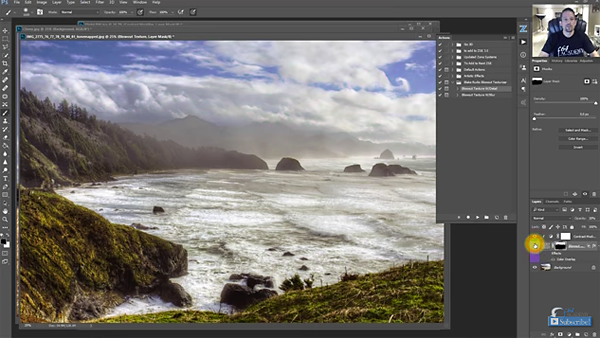
Let's say you capture a nice image, and you want to bring out a bit more detail during the editing process. It doesn't matter whether the photo is a portrait, macro shot, a landscape scene, or something else. What's your strategy?

Ron Leach  |  Nov 18, 2025

Birds are a unique subset of wildlife subjects because you don't have to travel far to capture compelling images. This accessible genre can be pursued at a nearby park, local nature reserve, or even in the comfort of your own backyard. And interesting species change throughout the year.

Ron Leach  |  Jan 24, 2024

We've all heard the blather from so-called "purists" who insist that images should be presented straight out of the camera without any post processing at all. Not only are we told to avoid adjusting exposure, color, sharpness and the like, but creative cropping is verboten as well.

Ron Leach  |  Nov 13, 2024

But here's the rub: When we turn to post processing to rehabilitate a problem image, here too there are several preventable mistakes that compromise the enhancements you make. This eight minute video from instructor Jalen Oban identifies nine of the most common errors made by Lightroom users, and then he demonstrates a better way.

Ron Leach  |  Apr 09, 2024

Whether you process images in Lightroom, Photoshop, or another full-featured editor, it's difficult not to get carried away by all the capabilities available. But sometimes you'll achieve much better results by restraining yourself and taking a subtle approach so that you don't ruin photos by giving them an "over-cooked" look.

Ron Leach  |  Mar 03, 2025

This post-processing tutorial explores some of the most useful (and underutilized) sliders in both Lightroom and Lightroom Classic. If you're in the habit of skipping over Lightroom's Classic's Basic panel, or Lightroom's Light and Color panels in search of more advanced tools you'll want to pay close attention to this tutorial with pro Forest Chaput de Saintonge.

Ron Leach  |  Sep 14, 2023

A couple weeks ago we posted a tutorial explaining how to use Lightroom's AI Denoise to rehabilitate underexposed photos. As it turns out, there are a few issues with this new tool that you really must understand to avoid potential problems with your edits while using this powerful technique.

Ron Leach  |  Jan 23, 2023

Lightroom is loaded with tools and special features, some of which change or are added every time there’s an update. So you’ll be excused for not taking advantage of everything this software has to offer.

Ron Leach  |  Jan 03, 2017

We’ve all been there: You’re shooting a beautiful landscape with bright billowing clouds and some interesting shadow detail, so what do you do? You can expose for the highlights and risk introducing noise into the shadows. But if you expose for nice clean shadows, there go the highlights.

Ron Leach  |  Sep 01, 2017

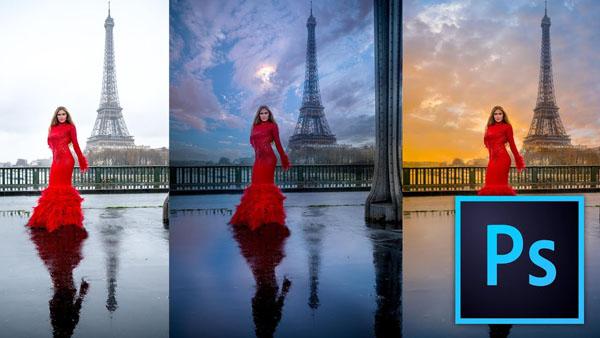
French landscape photographer Serge Ramelli has a unique knack for capturing gorgeous images and making them even more spectacular with a bit of judicious editing. In this tutorial he demonstrates how replace a boring sky in Photoshop.

Ron Leach  |  Mar 11, 2022

Last week we featured a popular tutorial, explaining how to avoid common shooting errors that can be real image killers. Today were turning to the processing side of our craft, identifying six common image-editing mistakes that are easily fixed.

Ron Leach  |  Jan 11, 2021

Most of the tutorials we post from professional photographers involve tips, tricks, and techniques that enable you to improve your skills. But every so often a pro reveals the mistakes he or she made, so you don’t have to make them yourself.

Ron Leach  |  Oct 14, 2022

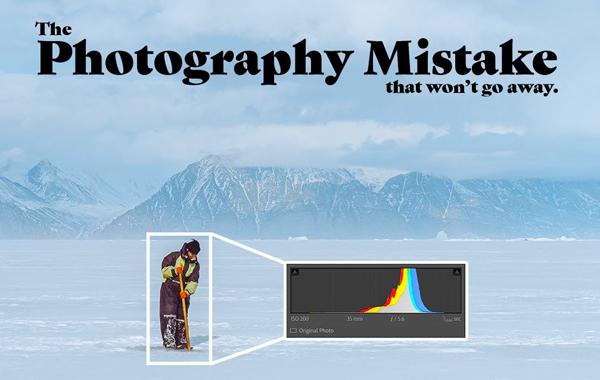
There are numerous “rules” of photography and some are meant to be broken—including a few of the most familiar. But as you’ll see in the eye-opening video below from a trusted pro, you can avoid sabotaging images by using an oft-ignored trick.

Ron Leach  |  Jun 06, 2022

While we all strive to capture awesome photos in the camera, it’s often possible to make a great shot even better with a few post-processing enhancements. But image editing is a mixed bag, and you can actually degrade a nice photo if you’re sloppy on the computer.

Ron Leach  |  Aug 24, 2018

French photographer Serge Ramelli is known for spectacular landscape images. Yet, despite his mad skills, every so often Mother Nature needs some help because of poor light, pale skies, or weak colors. In this tutorial, Ramelli provides 27 free Photoshop presets, and demonstrates how to use them, so you can turn good photos into great ones.

Pages

X