


- REVIEWS
Camera Reviews 
More Reviews Mobile Reviews Photography Reviews - GALLERIES
- VIDEOS
- BUYER'S GUIDES

Software How To
Sort By: Post Date TitlePublish Date
|
Mar 20, 2012 |
First Published: Feb 01, 2012
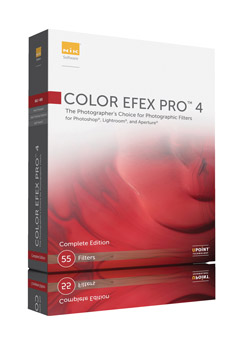 Color Efex Pro 4 is Nik Software’s (www.niksoftware.com) latest version of its digital photographic filter plug-ins for retouching and creative enhancements. It is Mac OS and Windows compatible and installs as a 32-bit and 64-bit plug-in for Adobe Photoshop CS4 or later, Lightroom 2.6 or later, Photoshop Elements 8 or later, or Apple Aperture 2.1.4 or later. The installer searches for all of the hosts that are on your computer and if you already have Photoshop, Lightroom, and Aperture installed, as I do, it will install Color Efex Pro 4 for all of the host applications.
|
Mar 19, 2012 |
First Published: Feb 01, 2012
|
Mar 12, 2012 |
First Published: Feb 01, 2012
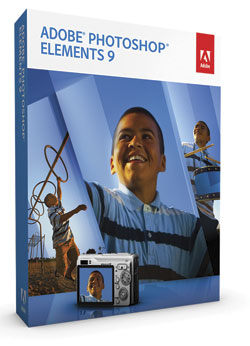
 Adobe Photoshop Elements 10 caters to the entry-level crowd, but is imbued with several professional-level tools. Even when a feature is not really intended for serious photographers, there is a goldmine of functionality that could save countless hours. The app is celebrating 10 years on the market. Adobe has slowly revised the workflow, and it’s getting much better.
|
Mar 08, 2012 |
First Published: Feb 01, 2012
 Operating as a plug-in for Lightroom, Aperture, or as a stand-alone workspace, Perfect Layers from onOne Software distills down and codifies the often-complex task of working in Layers to a fairly simple task, offering various Blend modes, composite shortcuts and tools that might otherwise pose a steep learning curve. You can use numerous source files, including Raw, TIFF, and JPEG formats, and scale and move the various layers as required. In short, Perfect Layers poses an effective tool for those who have wanted to work in Layers out of Aperture and Lightroom and opens up new doors to image creation.
|
Jan 13, 2012 |
First Published: Dec 01, 2011
|
Oct 28, 2011 |
First Published: Sep 01, 2011

|
Oct 13, 2011 |
First Published: Sep 01, 2011

|
Oct 11, 2011 |
First Published: Sep 01, 2011
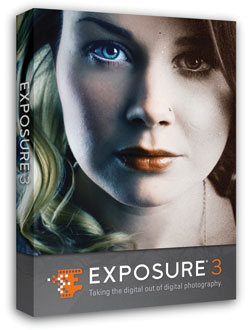 Whether you yearn for a subtle fine-tuning or an over-the-top effect, Exposure 3 lays out a fully stocked film vault for you. Do you yearn for the gritty look of pushed Tri-X, or the impressionistic color that is characteristic of a faded Polaroid? To add the organic look of specific film types to your photos, or transform them with a wide range of processing and darkroom effects, try one of the 500 presets available in the third generation of Alien Skin’s Photoshop plug-in, Exposure 3, up from 300 presets in Version 2.
|
Aug 09, 2011 |
First Published: Jul 01, 2011
|
Jun 28, 2011 |
First Published: May 01, 2011
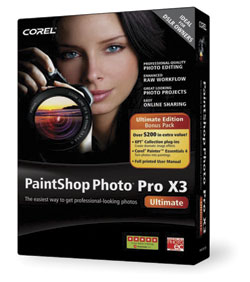 For years, anyone serious about photography has viewed Corel Paint Shop Pro (PSP) as the low cost alternative to Adobe Photoshop. Originally developed by a tiny company in Eden Prairie, Minnesota, Paint Shop has grown up into a full-featured photo workflow tool with a built-in photo organizer that includes tagging options and fast previewing, an advanced image editor, and handy integration with Flickr and Facebook.
|
Jun 20, 2011 |
First Published: May 01, 2011
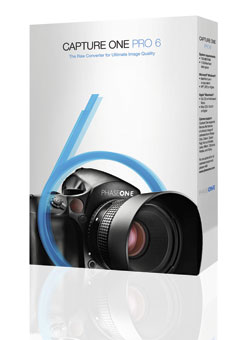 For serious photographers, the software you choose for a photographic workflow falls into good, better, and best buckets. The “good” bucket includes fairly mundane tools for basic image management, while “better” goes the extra step of providing image correction options and filters. The “best” tools provide tethered-shot features and robust metadata editing functions. At these upper ranks, the best software seems to predict your every move, mostly because the software developers are photo enthusiasts and understand real photographic needs.
|
Jun 07, 2011 |
First Published: May 01, 2011

|
Apr 01, 2011

|
Mar 01, 2011

Pages
 FEATURED VIDEO
PHOTO OF THE DAY

Today’s photo is Shake Out by Linn Smith
eNEWSLETTER SIGNUP

Get the Latest Photo Tips, News & Reviews from Shutterbug!






| Camera Reviews Other Reviews | |
Mobile Reviews Photography Reviews Columns | |
News | |
Features | |
How-To | |
Resources |
 © 2026 Shutterbug
AVTech Media Americas Inc., USA
All rights reserved