George Schaub
Sort By: Post Date | Title | Publish Date
Show Reports
George Schaub Jun 01, 2005 0 comments

For the first time in the history of the PMA Show, not a single 35mm SLR camera was announced at PMA 2005. We do not expect any to be announced anytime soon. Or maybe ever again.
...

Accessories
George Schaub Nov 01, 2003 0 comments

As digital SLR and 5-plus megapixel digicams have proliferated so has the need for higher capacity memory cards. Having even a 64MB card seems insufficient these days, especially with so many people choosing TIFF or raw image file formats as their mode of choice. Enter the new 4GB CompactFlash...

Accessories
George Schaub Nov 01, 2007 0 comments

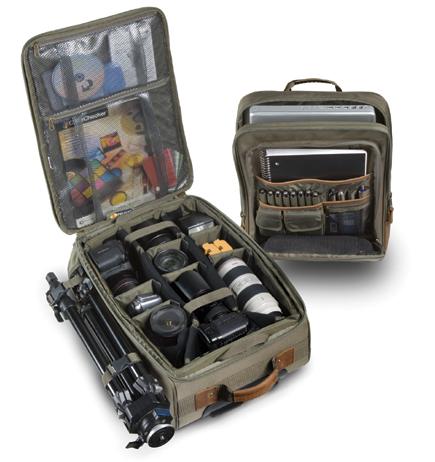
Billed as a "large wheeled camera/computer case," the Pelican 283 (for short) can carry all your gear, and more, in a clever design that holds more than you could imagine in a carryon, wheeled case. In truth, when the entire bag is "together," it can be difficult to stow into an above-seat bin, my main criteria for a bag these days, and in fact the case is...

Editor's Notes
George Schaub Sep 01, 2005 0 comments

The fellow running the curbside check-in at American Airlines out of LaGuardia seemed content with the tip, but not with the fact that we lingered until the bags went down the chute. This was New York, after all. From there it apparently went through many hands--the TSA (Transportation Security Administration), the baggage handlers at LaGuardia, the crew in Chicago where it...

Editor's Notes
George Schaub Apr 01, 2007 0 comments

Having worked with a fair share of digital cameras--both D-SLRs and digicams--I'd like to suggest some designs that might be appealing to many users. I am not being presumptuous, or even suggest that these ideas be adopted, but with so much technology there's no reason why we can't get customized cameras to match specific needs.

We...

Editor's Notes
George Schaub Dec 01, 2005 0 comments

For this issue we asked our contributors to take what they have learned from the last year, mix in a good dose of what they might have heard from peers and manufacturers about what's on the drawing board, and come up with some predictions about what we might expect in the year ahead. Their essays make for fascinating reading, with each contributor discussing an aspect of the...

Newsletter
George Schaub Dec 27, 2005 0 comments

Commentary

A Look Back: Big Changes, but Some Things Have Remained the Same

by George Schaub

Thinking about the past is natural at this time of year, when part of what
we do is recognize change as being part of the natural cycle of life. In photography,
massive changes have taken place that affectedus...

George Schaub Blog
George Schaub Jan 28, 2013 4 comments
Early photographers were bedeviled by the slowness of their sensitized materials. Though exposure times were eventually shortened to workable lengths, early studios used neck braces and confining chairs to keep their subjects still while the exposure was being made.
Newsletter
George Schaub Aug 29, 2006 0 comments

Airline Update

What About Cameras and Computers?

by George Schaub

The recent incidents in England have made for heightened awareness about airline
travel and questions about what can and cannot be carried on. The restrictions
are quite severe for travel to England and through trips connecting in Heathrow,
forexamp...

Software & Computers
George Schaub Jul 06, 2012 Published: Jun 01, 2012 8 comments
Alien Skin’s Snap Art 3 ($199, or $99 for an upgrade from previous versions) is the latest manifestation of image-altering software that works atop the architecture of Photoshop and Lightroom, that is, a plug-in accessible through the Filters menu in Photoshop and for Lightroom as an external editor.

To launch Snap Art from an image in Lightroom you first select the image (or multiple images for batch processing), and select Photo>Edit In>Snap Art 3. You can also right click on the image and select Edit In>Snap Art 3. When Lightroom asks you how to edit the photo, the company recommends you choose “Edit a Copy with Lightroom Adjustments.” This will tell Lightroom to make a copy of the image for Snap Art. You can also check and uncheck the Stack command, depending on how you want to see the image in the Library—choose Stack and you can easily unstack the image later, or just have it sit side by side in the normal Library (unstacked) view.