


- REVIEWS
Camera Reviews 
More Reviews Mobile Reviews Photography Reviews - GALLERIES
- VIDEOS
- BUYER'S GUIDES

|
Jun 11, 2013 |
First Published: May 01, 2013
|
Jun 18, 2013 |
First Published: May 01, 2013
|
Jun 21, 2013 |
First Published: May 01, 2013
|
Feb 07, 2013 |
First Published: Jan 01, 2013
|
Sep 05, 2012 |
First Published: Aug 01, 2012
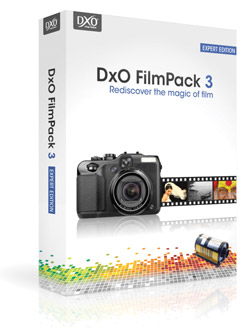 The question is—does anybody really know what a given image would look like if they shot it on Kodachrome 25, or Fuji Acros, or some obscure color negative film that even in film’s heyday was little used or appreciated? Perhaps the more pertinent question is—how many people have made photographs using film? But film references are what a number of so-called film emulation software programs use for describing presets that can be applied to a digital image. Half academic and half nostalgic, the programs use film brand names to describe saturation, contrast, color nuance, and grain structure variations that are then applied to an image. Perhaps using film names is better than poetic fantasy terms, like “misty blue dawn,” but then again entirely subjective descriptors, rather than supposedly clinical ones used in these software programs, might be just as handy for today’s photography crowd. In any case, I recently tested one such program, DxO’s FilmPack 3.1, to see if it offered up creative variations that could be used as is or as foundation images when interpreting subjects and scenes.
|
Aug 08, 2012 |
First Published: Jul 01, 2012

|
Jul 05, 2012 |
First Published: Jun 01, 2012
 With each successive release of ACDSee Pro, the photo management suite adds ever-more-powerful features. In this review I hope to help you decide whether or not its features match up with your own workflow, meet your needs, or even improve on existing features to enhance your photographic creations.
|
Jul 06, 2012 |
First Published: Jun 01, 2012
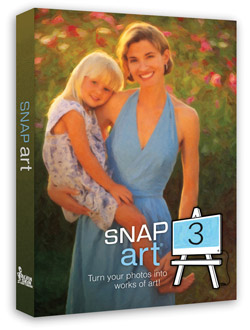 Alien Skin’s Snap Art 3 ($199, or $99 for an upgrade from previous versions) is the latest manifestation of image-altering software that works atop the architecture of Photoshop and Lightroom, that is, a plug-in accessible through the Filters menu in Photoshop and for Lightroom as an external editor.
|
Jul 13, 2012 |
First Published: Jun 01, 2012
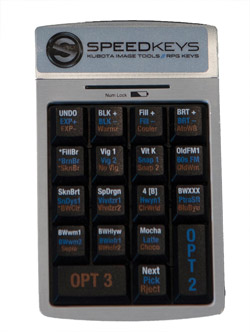 Photographers, especially those dealing with large numbers of images, are always looking for ways to speed up the workflow and spend less time in front of a computer and more time behind a camera. Applications like Lightroom have improved the process tremendously, making cataloging and image adjustments easier and faster than before. If you have adjustments that you apply frequently, you can use presets to make it a single-click process, applying a number of adjustments in one operation.
|
Jul 19, 2012 |
First Published: Jun 01, 2012
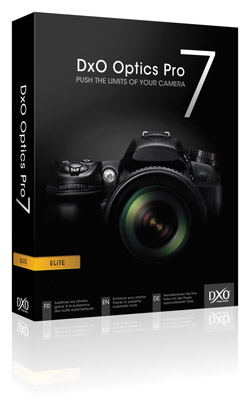 DxO Optics Pro Version 7 is a Raw converter for Mac and Microsoft Windows with some nifty tricks up its sleeve. It offers its own brand of nondestructive image editing, with tonal, exposure, geometric, and optical corrections that make it stand apart from the crowd. As was true of Version 6.6, Optics Pro 7 supports the company’s new FilmPack 3 film emulator plug-in (see sidebar below). We will have a more complete review of the film emulator in a future issue.
|
Jul 26, 2012 |
First Published: Jun 01, 2012
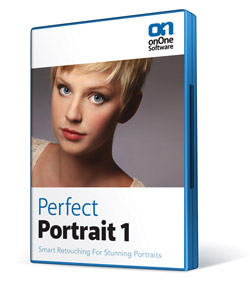 Judging by the popularity of facial retouching software, there seem to be a lot of people out there who want to make their subjects look like they just arrived off a private jet from Monte Carlo. And they want to do it fast, and not get bogged down with little technicalities like learning how to use Photoshop. So, is it possible to just press a button and instantly have a complexion that looks like J.Lo after an hour in the makeup chair? Well, that’s what we’re here to find out, so let’s take a look.
|
Jul 30, 2012 |
First Published: Jun 01, 2012
 Tiffen’s Dfx 3.0 offers photographers software that can make their images stand out from the crowd. The bundle is a digital emulation of 2000 of the company’s glass filters that for convenience uses the same names of the company’s Soft/FX or Pro-Mist filters, so those who’ve shot with their filters in the past know exactly what to expect when applying their digital equivalents. For those who haven’t, rest assured that the company who made their name in filters knows their stuff. As a bonus, the software also includes effects created by lenses, lab processes, film grain, color correction, plus natural light effects.
|
Aug 02, 2012 |
First Published: Jun 01, 2012
 CES is not a big imaging software show as evidenced by the short list of new products, though we did find a new camera profiling tool, updated monitor calibration tools, an old favorite Raw converter brought back to life under a new name, and software for editing on the fly and sharing photos.
|
Mar 08, 2012 |
First Published: Feb 01, 2012
 Operating as a plug-in for Lightroom, Aperture, or as a stand-alone workspace, Perfect Layers from onOne Software distills down and codifies the often-complex task of working in Layers to a fairly simple task, offering various Blend modes, composite shortcuts and tools that might otherwise pose a steep learning curve. You can use numerous source files, including Raw, TIFF, and JPEG formats, and scale and move the various layers as required. In short, Perfect Layers poses an effective tool for those who have wanted to work in Layers out of Aperture and Lightroom and opens up new doors to image creation.
|
Mar 12, 2012 |
First Published: Feb 01, 2012
 Adobe Photoshop Elements 10 caters to the entry-level crowd, but is imbued with several professional-level tools. Even when a feature is not really intended for serious photographers, there is a goldmine of functionality that could save countless hours. The app is celebrating 10 years on the market. Adobe has slowly revised the workflow, and it’s getting much better.
Pages
 FEATURED VIDEO
PHOTO OF THE DAY

Today’s photo is Shake Out by Linn Smith
eNEWSLETTER SIGNUP

Get the Latest Photo Tips, News & Reviews from Shutterbug!






| Camera Reviews Other Reviews | |
Mobile Reviews Photography Reviews Columns | |
News | |
Features | |
How-To | |
Resources |
 © 2026 Shutterbug
AVTech Media Americas Inc., USA
All rights reserved