You may have heard photographers discuss the popular concept of "bokeh" even if you don't know how to pronounce it. Simply put, the powerful technique enables you to accentuate the key subject in an image by understanding how to render out-of-focus areas with the frame.
According to the experts at the Exploring Photography YouTube channel there's a good chance that you've been wasting time behind the computer by taking the wrong approach to culling photos after you return from a shoot. This quick tutorial will dramatically speed up this chore so you can get back out in the field with a camera as soon as possible.
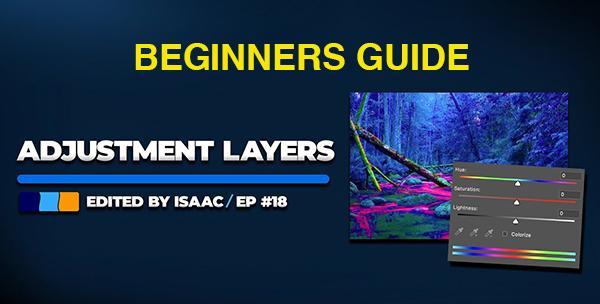
If you're new to post-processing and shy away from employing adjustment layers you're in for a big surprise. That's because these transformational tools are much easier to apply than you think. We'll bring you up to speed in the next four minutes and your workflow will instantly improve.
Canadian photographer Davey Gravy has completed an exhaustive review of hundreds of mobile apps for capturing both stills and videos. He first narrowed down the choices to 50, and today he presents what he says are the top six of the bunch.
Today's six-minute tutorial from VerticDesigns demonstrates Photoshop's amazing new AI Generative Upscaler that quickly transforms enlarged photos from pixelated to perfect like never before. It's a must-watch video whether you’re a beginner or a more experienced user.
The technique known as Expose to the Right (ETTR) can make a huge difference in the images you capture in Raw, but this method is frequently misunderstood and can lead to compromised results if you take the wrong approach.
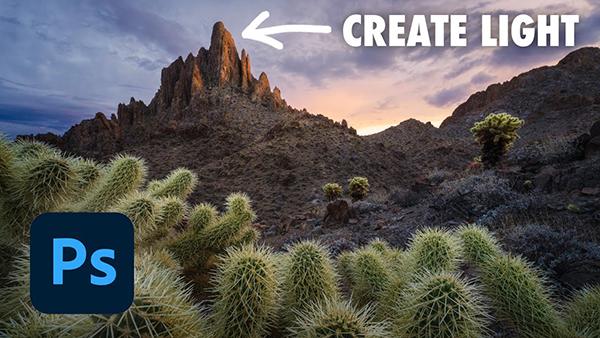
This is another of our "fix-it-don't trash-it" post-processing tutorials than can quickly turn an unimpressive outdoor photograph into a spell-binding image that really grabs attention. In the video below you'll learn how to introduce natural-looking light to photos that don't quite make the grade.
Many of today's modern cameras enable you to determine the maximum reach of their lenses, whether you're shooting with a smartphone, pocketable compact, or mirrorless model. And understanding what the two options mean, and how they work, will have a significant impact on the ultimate image quality you receive.
If you want to expand your repertoire by trying something different, in-camera multiple exposures is a great place to start, and this 10-minute tutorial from the Hamed Photography YouTube channel walks you through a step-by-step workflow that can be easily accomplished by beginners and experienced shooters alike.
British photographer and imaging-editing specialist James Feaver kicks off today's eye-opening explainer like this: "One of the things I really struggled with when I started my photography journey was white balance. I would spend hours changing the color temperature and tint and I just never was happy with the results."
If you're unfamiliar with the term "clipping" it's time we brought you up to speed and revealed how easy it can be to prevent this common occurrence from spoiling the quality of images you shoot in the field. Today's concise explainer from the Souvenir Photo Pros YouTube channel explains everything you need to know in two minutes flat.
Are you tied of spending hours tweaking sliders or relying upon presets that rarely seem appropriate for the specific task at hand? If so, this straightforward Lightroom tutorial is guaranteed to save you serious time whether you're editing Golden-Hour mountains, misty forests, or unimpressive skies that are lacking in drama.
We're all looking for ways to capture attention-grabbing outdoor photos that stand out from the crowd, while keeping things looking natural. The Lightroom workflow illustrated below is a lot of fun because it involves experimenting with stylizing your images until you discover a signature look that's easy to replicate in the future.
One of the biggest challenges when shooting in the field under difficult light is nailing exposure in scenes with a wide range of tones, which is why your landscape photos may appear too dark or overly bright with crushed shadows or blown-out highlights.
Earlier this week we brought you a quick tutorial from the highly regarded Photoshop Training Channel that reveals what one Adobe expert says are his five favorite features in the game-changing late-July Photoshop update. Instructor Jesus Ramirez is back again today with a deep dive into the powerful AI-based Harmonize tool that enables you to blend multiple objects into a scene with a single click.