More and more photographers are discovering the joys of using inexpensive vintage lenses on modern mirrorless digital cameras. These relics of the past often deliver excellent image quality with a unique look and superior all-metal construction as compared to their modern counterparts.
Are your photos consistently ruined by digital noise even when you thought your camera settings were correct? Perhaps you've asked yourself why your photos look grainy, or when it's safe to shoot with a high ISO. These questions and others will be clearly answered in the six-minute tutorial below.
Photoshop's Selective Color tool represents a powerful non-destructive means of employing an adjustment layer to correct and enhance specific colors in an image. There are many practical applications like creating outdoor photos with a "cinematic" look or fixing skin tones in portraits by eliminating unwanted red and magenta tones.
Fasten your seatbelt if haven't explored the many benefits of Raw editing in Photoshop, because all that's going to change thanks to the quick primer below from the informative Photocameras YouTube channel that regularly post how-to videos on simple techniques.
Cluttered backgrounds are often unavoidable when shooting in the field, and this distraction will easily deemphasize a key subject in wildlife shots, nature photos, or even landscape images with an element that deserves to really stand out. Today's tutorial featuring German expert Christian Mohrle demonstrates how to save the day with the thoughtful use of Lightroom's easy-to-apply Lens Blur tool.
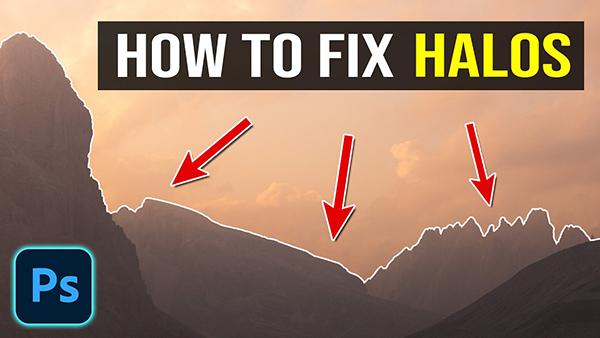
Halos are those unsightly white (or dark) outlines around high-contrast edges that may result from heavy-handed processing or in scenes in which dark objects like trees are set against a bright sky. These image-killing artifacts can also be caused by improper HDR processing, over-sharpening, masking mistakes, or the excessive use of Photoshop's Clarity and Texture tools.
Experienced photographers understand the many benefits of shooting in Raw, but you may be in for a surprise—especially if the images you capture don't always look quite as good as expected. That's because, according to conventional wisdom, Jpeg settings aren't relevant when using the Raw file format.
Precision cutouts of difficult subjects can be a time-consuming challenge depending on the approach you take, and there are several methods for handling this common process. The good news is that this straightforward video reveals three foolproof secrets for simplifying the task and achieving exceptional results.
Sometimes our nature and landscape photos fall shot of the beauty we witnessed through the viewfinder, either because our camera settings were incorrect or we used the wrong approach during post processing. The video below from the PHLOG Photography YouTube channel addresses the latter concern with a straightforward color-grading technique that anyone can master in minutes.
Let's pretend for a moment that you own the best gear money can buy and you've spent years refining both technical skills and artistic vision. Under these circumstances it's reasonable to expect a high percentages of portfolio-worthy results.