Wouldn't it be great if you could dramatically improve your photos by simply changing four camera settings? This sounds like a tease but it's actually a fact, according to professional photographer Jared Collins, who specializes in teaching less-experienced shooters how to avoid common mistakes.
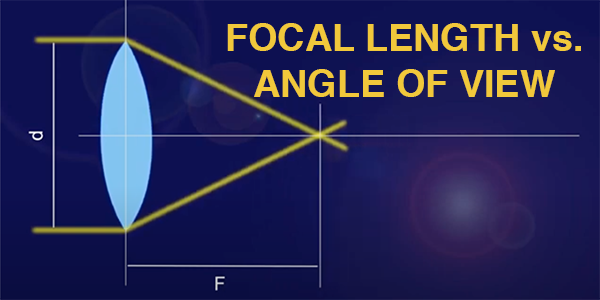
Do you understand the interplay between the focal length of a lens and angle of view? It''s an important relationship to understand, and this video from a German pro will bring you up to speed in the next seven minutes.
Are you tired of paying for expensive post-processing software or downloading apps like Gimp to your computer? If so, this quick guide from the popular BIT YouTube channel may just set you free without spending a dime and help you achieve enhancements that perfectly suit your needs.
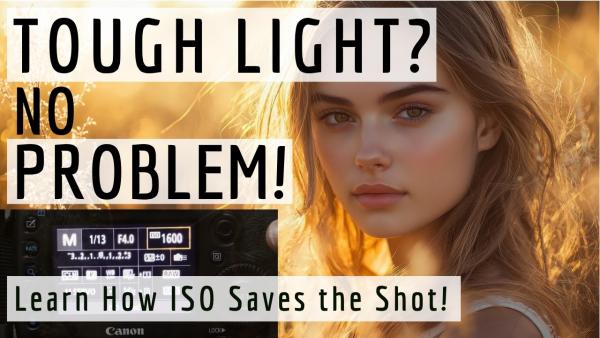
Have you wondered why some of your photographs are crisp, clean, and full of detail, while others are grainy, dull, and unimpressive? The following tutorial with instructor Anthony Crothers takes an educated guess that "it's not your camera—it's your ISO." And this can be super simple to fix once you understand this essential concept.
Adobe recently gave Lightroom Mobile a significant update with powerful features for processing portrait photographs on your phone. A couple of these enhancements can also be used to improve other types of images as well.
Experienced landscape photographers understand the importance of a concept known as "hyperfocal distance" that enables them to maximize depth of field by using appropriate aperture settings and focusing on a specific point within the frame, namely, somewhere between foreground and background depending upon the image at hand.
Are you confused by all those "weird" numbers, symbols, and other classifications on your memory cards? Well, don't feel bad because you're not alone—even though this terminology can be quite important to understand.
Adobe's long-awaited Photoshop for iPhone is finally here and today's tutorial from the popular PHLEARN YouTube channel demonstrates the broad range of available tools and demonstrates how to employ them for quick and effective adjustments on the go.
Lately we've been featuring tutorials that highlight the versatility of older post-processing tools that have fallen by the wayside as Adobe continues to add new headline-grabbing features to Photoshop, Lightroom, and Adobe Camera Raw (ACR). We're doing this again today in the following video that describes why you should take another look at the efficient High Pass filter sharpening tool.
Today's post-processing tutorial from the popular Photo Feaver YouTube channel falls into the common category of "my images don't look as great on the computer as they did through the viewfinder." Fortunately, it's easy to create the high-quality results you expect by avoiding three common Lightroom mistakes made by beginners and more experienced users alike.