| |
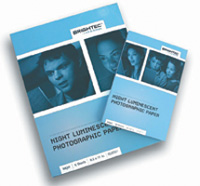
Have
some fun with your printer. Brightec's Night Luminescent
Photographic Paper creates high quality output that looks
normal by day but luminescent at night.
|
|
Editor's
Note: This month starts a new column here at eDigitalPhoto from
Joe Farace. Loyal readers of the magazine will know that Joe has been
doing the Buzzwords here each month, and frankly, he ran out of letters!
Joe's a true expert and digital practitioner, so each month he's
going to keep us up-to-date on what's happening in the digital world
by keeping a diary of what has captured his interest and imagination.
We hope you enjoy Joe's Digital Diary.
Dear Diary:
Those of us who have been around long enough to use Apple Computer's
(www.apple.com) StyleWriter
and Canon's (www.usa.canon.com)
original BubbleJet printers know that ink jet printing is far from new,
but what is new is that it's never been cheaper, better, or easier
to use for digital photographers. Or is it?
Ink, Schmink
Every ink jet printer uses different inks; so right out of the box the
same kind of paper won't produce the exact results with every
possible printer. The printer manufacturers' paper will always
work well and third-party paper manufacturers try to design their media
to be compatible with a majority of printers. Sometimes the match is
a good one, and sometimes it's not. Most if not, all of the ink
jet papers that I`ve tested from Adorama, Moab, Pictorico, and
Tetenal produced excellent results with specific printers, but not every
possible printer.
|
| |
Pixifun's
Photo Key Ring Kit contains Windows-based software templates,
six key rings, and 18 photo inlays that let you use your
computer to create key chains for family and friends.
|
|
Some ink jet printers use pigment-based
inks in their black cartridge and dye inks in their color cartridges,
while others, use dye-based inks in all of their printers. Yet others
use pigment-based inks for everything. The reason for these differences
is that pigmented black ink is better than dye-based ink for printing
sharp, dense text on plain paper and some manufacturers prioritize text
over photo quality. Because of the high absorption rate of plain paper,
dye and pigmented inks can be combined, but when printing on photo paper,
printers using different kinds of ink turn off the black ink, so it's
a composite and often a compromise made from the colored inks.
Ink Jet Printing Dos
& Don'ts
Do read the manual. It has all kinds of information about what kind of
paper works best and other features, such as how to make borderless or
double-sided prints, if your printer has these capabilities.
Don't leave your printer on unless you plan on using it. Having
it on all day lets air flow around the tiny nozzles and causes them to
clog, which results in time and ink wasted cleaning heads before making
your next print.
Do print something every day. Idle nozzles are the clogger's playground
and if you don't exercise those print heads, they'll get clogged,
too.
Don't be making a big investment in fancy ink jet papers just to
experiment.
Do purchase a sampler pack or small quantity of a paper you're interested
in.
Don't try a continuous feed ink system until after you have some
experience working with your printer and ink jet printers in general.
Do make test prints with those sample papers, writing notes for future
reference about the software driver's settings.
|
| |
The
$179 Epson Stylus R300 makes producing colorful photos a
snap with or without a computer! This printer can even print
directly on ink jet printable CDs and DVDs.
|
|
Print On Paper Or CD!
How far have ink jet printers come? The $179 Epson (www.epson.com)
Stylus Photo R300 makes producing colorful photographs a snap with or
without a computer! This R300 even prints directly on ink jet printable
CDs and DVDs. With up to 5760x1440dpi resolution, six individual photo
ink cartridges, and Windows and Mac OS connectivity, the Stylus Photo
R300 is a versatile device for digital imagers on a budget. On its front
you'll have a built-in memory card reader and even an USB port,
all of which makes it easy to print directly from your CD-R drive, Zip
drive, or any PictBridge (see sidebar) enabled digital camera. I disconnected
my old (sometimes it worked; sometimes it didn't) card readers and
now have one less USB device drawing power and enjoy more dependable card
reading with the R300. If you have a Bluetooth-enabled device (see sidebar)
with printing capability, you can print with Epson's optional Bluetooth
adapter.
Have Fun With Your
Ink Jet Printer
Digital photography is all about having fun (I think so anyway), so here
are three ink jet printing products that will put a smile on your face
and your friends too, I'll bet.
Adorama's (www.adorama.com)
ProJet SilverMirror media is a polyester based material with a highly
reflective finish that looks like you're printing on metal! With
a price tag of $26.95 for a letter-sized pack of 10 sheets, be careful
about mistakes and examine both sizes; the coated (printable) side has
a slightly frosty appearance. If you want a print everyone will remember,
make it on ProJet SilverMirror.
Make your prints glow in the dark with Brightec's (www.brightec.com)
Night Luminescent Photographic Paper that produces high quality output
that looks normal by day but luminescent at night. Brightec's patented
papers allow photographic details to be seen in the dark but are not like
the yellow and green "glow in the dark" products you might
have carried on Halloween. You can be practical and print maps on Brightec
so you can get where you're going without looking through glare
on the windshield from the overhead light or have fun and put a Brightec
poster of your child's favorite cartoon character in the closet
to scare away monsters at night.
Pixifun (www.pixifun.com)
makes all kinds of products that make using your ink jet printer even
more enjoyable. Their Photo Key Ring Kit ($12.99) contains Windows-based
software with ready-to-use templates, six key rings, and 18 photo inlays
that let you use you computer to create photographic key chains for family
and friends. Look on their website for more practical products like Photo
ID badge and CD/DVD label kits as well as fun stuff like Photo Stickers!
|
| |
One
of the most important ink jet dos and don'ts is don't
try a continuous feed ink system until after you have some
experience. This is my hand after attempting to install
a continuous flow monochrome ink system on an Epson Stylus
Photo 1280. PS. It never got installed.
|
|
Drive Your Bluetooth
Across The PictBridge
Bluetooth (www.bluetooth.com)
is a standard for a low-cost, short-range radio link between mobile computers,
cell phones, digital cameras, and other portable devices. The Danish King
Harald Bluetooth, best known for unifying Denmark and Norway in the 10th
century and his dental hygiene, inspired the funky name.
The Camera & Imaging Products Association (www.cipa.jp)
standard CIPA DC-001 a.k.a. PictBridge provides a direct connect solution
for image input devices and output devices by standardizing services for
these devices. The first release of PictBridge focuses on direct print
services between digital still cameras and printers.
|
| |
Some
guys never learn. Here are my hands after installing an
Epson compatible continuous feed ink system on yet another
poor Stylus Photo 1280. Despite the instructions I was able
to get it installed, and despite the "Epson compatibility"
the prints look flat and lifeless, so it was back to the
cartridges for me.
|
|
Contacts
Adorama, Inc.
(800) 223-2500
www.adorama.com
Brightec
(781) 684-0770
www.brightec.com
Epson America
(800) 463-7766
www.epson.com
Moab Paper Company
(435) 259-3161
www.moabpaper.com
Pictorico
(800) 899-5009
www.pictorico.com
Pixifun, Pexagon Technology,
Inc.
(203) 453-8300
www.pixifun.com
Tetenal, HP Marketing Corp
(973) 808-9010
www.hpmarketingcorp.com
|