Working with color is one of the most common activities when editing photos. All photo-editors, from the most basic to the most advanced, have an abundance of tools available for altering colors. In this article, I’ll take a look at some of the basic tools that you’ll find in the most humble image processing software, even the one that came in the box with your camera.
The computer needs of a digital photographer are different from someone who just wants to check e-mail and surf the Web. In this article, I’ll take a look at some of the features you should look for when considering a new computer. You can look at these suggestions as being divided into two categories: Essentials and Options. Essentials will provide the basic needs for the advanced amateur—not the pro—while Options covers those who use their camera to record video and their computer to edit it.
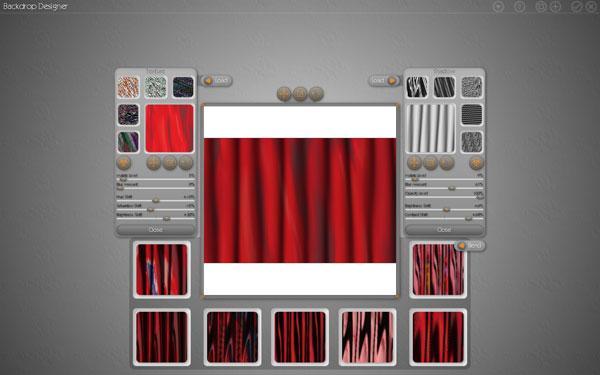
Photo/Graphic Edges (PGE) from Auto FX Software has been with us for many years and the company recently released their latest version, 7.0, Platinum Edition ($249, stand-alone and plug-in; $129, upgrade for owners of Version 5 or 6). The interface is identical to that used by all Auto FX Photoshop plug-ins. If you already use another Auto FX plug-in, such as Mystical Lighting or Mystical Focus, learning to use PGE should be easy. Even if you’re not familiar with Auto FX products, you’ll likely find the interface to be very straightforward and uncluttered, with plenty of room to work on your images.
Mystical Focus builds on the success of the Auto FX “Mystical” series of plug-ins, which includes Mystical Lighting and Mystical Tint, Tone, and Color.
The web has opened the door to many business opportunities for photographers that never existed before, one being the ability to sell photos via websites that specialize in marketing “stock” photography. Stock photography finds its way into a multitude of fields, including publishing, advertising, business presentations, and web design.
It’s common to see blinking buttons and scrolling banners and other animated graphics on websites that look pretty much the same as those on every other website. I want to show you how you can do something different with animation: blur an image, then use animation to grab your viewer’s attention by bringing the blurred photo back into focus.
Given the fact that Macs have always been popular among photographers, and that there are now more Mac users than ever, I felt it was high time for an article focusing on affordable Photoshop alternatives for Mac OS X.
ArcSoft’s PhotoStudio 4 PhotoStudio 4 is a graphic editor with a good selection of features and a focus on photo editing. The interface is...
In just about any discussion of photo editors for Windows, Corel’s PHOTO-PAINT is widely considered to be the high-end competition to Adobe’s Photoshop. Earlier this year, Corel released Version X4 (Version 14) of PHOTO-PAINT. This version ships with numerous new features. The most obvious change to PHOTO-PAINT is the addition of the Welcome Screen that displays when opening the...