


- REVIEWS
Camera Reviews 
More Reviews Mobile Reviews Photography Reviews - GALLERIES
- VIDEOS
- BUYER'S GUIDES

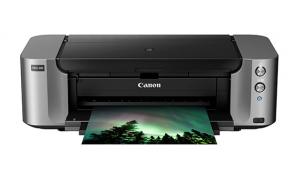
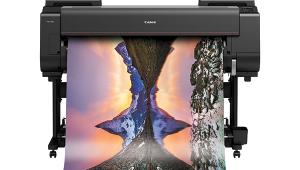
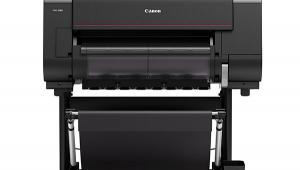
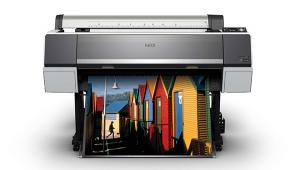
Canon’s imagePROGRAF iPF5000 17” Printer; A New Wide Format Pigment Ink Printer
Technical Specifications
Print Head: PF-01
Technology: FINE (Full-lithography Inkjet Nozzle Engineering)
Configuration: Six colors per print head; dual print heads (total 12 colors); Print Head (A) Y/PC/C/PGY/GY/MBK; Print Head (B) PM/M/BK/R/G/B
Replacement: End user replaceable
Number Of Nozzles: 2560 nozzles per color; 30,720 nozzles total
Nozzle Pitch: 1200dpi
Nozzle Recovery System: Non-firing nozzle detection and compensation
Ink Droplet Size: 4 picoliter
Print Resolution (Up To): 2400x1200dpi (max)
OS Compatibility: Windows 98SE/ME/2000/XP/2003 Server; Macintosh OS 9.1/X 10.2/10.3/10.4
Standard Interface: USB 2.0 High-Speed; 10/100 Base-T/TX; Optional: IEEE 1394 (FireWire)
Ink Capacity: 130ml per color
Ink Type: Lucia ink (pigment-based)
Buffer/Ram: 192MB
Media Width: 8-17" (cut sheet and roll)
Media Thickness: Cassette: 0.83-0.3mm (3.2-11.8 mil); Top Loading Manual Feed: 0.08-0.5mm (3.2-19.6 mil); Front Loading Manual Feed: 0.5-1.5mm (19.6-59.0 mil); Roll: 0.07-0.8mm (2.8-31.4 mil)
Maximum Roll Print Length: 59 ft (18 meters)
Maximum Media Roll Diameter: 5.9" (150mm)
Borderless Printing Width (Roll Media Only): 10", 13", 14", 16", 17", B4 (10.12"/257mm), A2 (16.54"/420mm)
Paper-Feed Method: Cassette: Up to 250 sheets (Plain Paper, Letter), front output; Top Loading Manual Feed: One sheet, front output; Front Loading Manual Feed: One sheet, front output; Roll Feed (Optional): One roll, front output
Language: GARO (Canon Proprietary)
Physical Dimensions: 39.3x28.9x12.5", with optional Roll Feed Unit: 39.3x31.9x13.5"
Weight: Approx. 99 lbs, with optional Roll Feed Unit: Approx. 108 lbs
Power Source: AC-100-120v (50-60Hz)
Software Included: Printer Driver 2006, Print plug-in for Photoshop, Print plug-in for DPP, Printer Driver Extra Kit (Free Layout, imageRUNNER Linking Function); Applications: PosterArtist 2006, Digital Photo Print Pro; Utilities: GARO Status Monitor, Media Configuration Tool, RemoteUI
Street Price Range: $1575-$1902.70
Optional Accessories: Auto Roll Feed Unit (RU-01); IEEE 1394 Expansion Board (EB-05)
| ||
|
||







 FEATURED VIDEO


Get the Latest Photo Tips, News & Reviews from Shutterbug!






| Camera Reviews Other Reviews | |
Mobile Reviews Photography Reviews Columns | |
News | |
Features | |
How-To | |
Resources |
 © 2026 Shutterbug
AVTech Media Americas Inc., USA
All rights reserved