


- REVIEWS
Camera Reviews 
More Reviews Mobile Reviews Photography Reviews - GALLERIES
- VIDEOS
- BUYER'S GUIDES

Sigma DP1
The compact Sigma DP1 has a single focal length lens, sports a "large"
(for compacts) sensor from Foveon and has many controls familiar
to DSLR users. Shown here with the VF-11 Finder, which slips into
the camera hot shoe. All Photos © 2008, George Schaub, All Rights Reserved |
The sensor is a 2652 x 1768 pixel sensor with three layers, giving a 14.6 MP total. The debate over whether this is a "true" 14MP sensor won't be rehashed here, as we have covered it extensively in past reports on Sigma cameras. Suffice it to say that there is lots of image information here and the resultant prints prove it. The DP1 takes SD (and SDHC) cards and allows you to shoot in both Sigma RAW or JPEG formats (no Raw+JPEG option is available), the latter in three sizes (Fine, Normal and Basic.) You can also shoot QVGA movies, but these are rather low res and are good for visual memos and not much else. You can set the camera up to ISO 800 and work in Auto, aperture- and shutter-priority modes, plus Manual and Program. Shutter speeds range from 15 sec to 1/2000 sec.
 |
|
|
Now here's the unique part again--there's a manual focusing mode and the lens is a fixed 16.6mm (equivalent to about 28mm, which gives you a clue to the larger sensor size) with an f/4 to f/11 aperture range. There are also lots of Menu items to customize the shoot, including white balance, a monochrome (and sepia) color setting, evaluative, center-weighted or spot metering, contrast saturation and color space (including Adobe RGB) and various ways to set the auto exposure lock button. If this sounds more DSLR-like than compact camera-like, you're beginning to get the picture.
 |
|
 |
|
|
You can shoot in any number of modes, with Program being interesting in that you can shoot with Program Shift--in other words, you set it on P and toggle the back buttons to shift the equivalent exposure in any combination you desire. As with aperture- and shutter-priority the numbers read out at the base of the LCD. Manual is a bit more cumbersome, but it's there if you want it, working the toggles until the +/- readout hits 0.0, or any over- or underexposure setting you want. There is an AEL (autoexposure lock) button that makes reading and holding highlight areas easy enough.

|
|
|
Autofocus is center-point priority unless you change it to one of 9 points using the Menu, but I found it easier to use the center and then lock. Manual focus is also possible, but frankly the LCD outdoors can be difficult to read so I stayed with AF. Indoors, manual is much more useful, if desired.
 |
 |
|
|
||
Once shot you can set the review time to various intervals and also get full image information by pressing the Display button. There is no highlight overexposure warning option (the "blinkies"), something I would hope is added the next time around. There is, however, a histogram display that can be helpful.
 |
|
 |
|
|
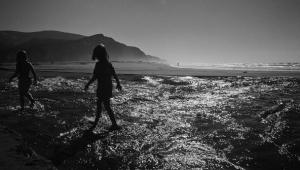
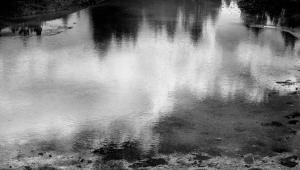
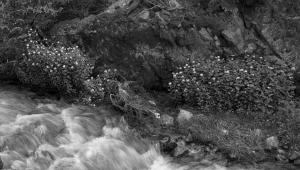
I worked with the DP1 over the course of a few weeks and found image quality to be excellent in both the Fine JPEG and Raw modes. As of this writing there is no Raw converter in Lightroom or Adobe Camera Raw for CS3, so you have to process the Raw images using the Sigma software. I am told by Sigma that they are working with Adobe to get this straightened out. My advice is to convert using the software and do the rest of the work in your image editor of choice.
JPEG images even of the largest size wrote quite quickly and efficiently, but the Raw writing time in the camera seemed excessive. Switching to a fast SDHC card from the standard SD card I had been using overcame this problem, so that's what I'd recommend for Raw shooters.

|
|
|
My main critique is the LCD, which was a tough read in daylight. One way around this is to set the LCD brightness to high and screen contrast to low, which helps somewhat. Because the camera lacks a built-in finder, composing with confidence, and seeing the results after the shot, and even reading the settings became a challenge. A recent firmware upgrade (available after my test period finished thus not tested) offers a grid lines for the LCD if desired, which might improve things somewhat. I advise, as did the fellow I met in the taqueria, to get your hands on the optional VF-11 Viewfinder, which you can slide into the hot shoe on the camera. This of course eliminates the possibility of using Sigma's accessory flash, but does not stop you from using the built-in flash.

|
|
|
So for me the DP1 is a bit of a puzzle. On the one hand it is a very versatile camera that produces excellent quality images and is eminently portable. There are many options that are akin to SLR-like cameras. The fixed focal length lens might seem limiting at first, but this is something you get used to, even enjoy using. But the LCD screen is problematic, and in bright daylight got in the way of making compositional decisions and even exposure settings. This is not unique to LCD-finder cameras, but here is one problem that diminishes an otherwise excellent traveling companion that produces superb image quality.
The Sigma DP1 has an MSRP of $999.
www.sigmaphoto.com
| ||
|
||
- Log in or register to post comments






























 FEATURED VIDEO



Get the Latest Photo Tips, News & Reviews from Shutterbug!






| Camera Reviews Other Reviews | |
Mobile Reviews Photography Reviews Columns | |
News | |
Features | |
How-To | |
Resources |
 © 2024 Shutterbug
AVTech Media Americas Inc., USA
All rights reserved