You don't normally
think of any point-and-shoot camera as ideal for photographing models,
but you never know when a great photo op is going to present itself.
That's why I like to carry a small, high quality digital camera
with me at all times. Right now Minolta's DiMAGE Xt fulfils that
role perfectly. This summer, while teaching at the (NECCC) New England
Council of Camera Club's (www.neccc.org)
annual conference on the UMass campus in Amherst, I decided to make
some photographs during the model shoots in my spare time.
The DiMAGE Xt may not be a digital SLR but it has many characteristics
that make it ideal for photographing models. It's as small as
a pack of cigarettes and when stowed in the optional ($15)--you
gotta have one of these--clip-on leather case you've effectively
wiped out every excuse for not having a camera nearby.
The DiMAGE's 37-111mm (equivalent) zoom lens has a maximum f/2.8
aperture producing usable images that are not too noisy, even in soft
daylight. Except in eyeball-searing Death Valley-at-noon sunlight, where
you usually don't make model photographs, there's always
gonna be some noise from an imaging chip tiny enough to fit inside the
DiMAGE's itsy-bitsy case, but there are 101 Dalmatians and ways
to minimize digital camera noise. (See sidebar" "We Don't
Need No Stinkin' Noise.")
|
| |
Working with models means working under all kinds of lighting
conditions. The DiMAGE Xt has white balance settings for
daylight, cloudy, tungsten, and fluorescent. I keep in the
auto setting most of the time, but the cloudy setting was
used in the shade of some large trees to produce better
out of the box color than the auto setting.
Photos © 2003, Joe Farace, All Rights Reserved
|
|
Viewing And Compensating
In addition to a 1.5" preview screen, the DiMAGE Xt has an optical
viewfinder. But I found that using the LCD for composing model photographs
not only produced more accurately cropped files but the camera was easier
to hold. Unlike film, you see the finished image right away, so why not
just crop it properly to start with and maintain maximum image quality
at the same?
The standard exposure control is programmed AE, which doesn't bother
me, but I found that when working in backlight and low-light conditions,
adjusting the exposure compensation controls created better looking photographs.
The Menu>Custom1>Exp Comp commands let you adjust exposure to plus
or minus two stops in 1/3 stop increments to produce amazingly accurate
results, especially with skin tones. Learn where these controls are on
the on-screen menu so you can get to them and make adjustments quickly.
When working with models, especially in a group shoot situation, they
are not going to stand around waiting while you fumble with
your camera.
Flash And Close-Up
Options
The built-in flash, while seemingly as big as a Tic-Tac (OK, maybe two
Tic-Tacs), does pretty well as a fill source if you're fairly close.
The camera is supposed to focus as close as 5.9" but it seemed like
I was able to get much closer when making macro flower shots. (Mano Orel,
a well-known East Coast pro, was so taken with the flower photographs
I made at NECCC that he immediately bought an Xt for himself.) Other flash
modes include redeye reduction, fill flash, and night portrait, which
worked perfectly. I was less excited about using redeye reduction when
photographing models, because I think the pulsing flash tends to create
more blinks, but it worked great for photographing kids and pets.
What's the downside to shooting models with the DiMAGE Xt? Some
of my favorite photographs are created in a low-light situation. In these
conditions, the DiMAGE Xt's few flaws emerge. Under really low-light
indoors, the camera's autofocus can be slow and when combined with
the shutter lag that affects all digital point n' shooters to some
extent, it can produce blurry, underexposed images. Sometime you might
even miss that decisive moment completely, so don't just expect
to push the button while the camera "does the rest." Track
your subject with lots of taps on the shutter release to maintain focus
at any given moment, then fully depress the shutter to capture the image.
|
 |
For
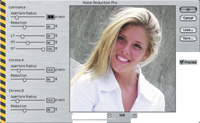
less than $100, The Imaging Factory's Noise Reduction
Pro plug-in is the simplest, easiest way to reduce the
digital noise in your digital files. The standard Noise
Reduction plug-in costs less than $40. Download both and
compare using your own files before purchasing online.
|
|
We Don't Need
No Stinkin' Noise
Here's a list of my favorite digital noise suppression software
products in the order I use them. When an image needs just a slight amount
of noise reduction I like Noise Reduction Pro (www.theimagingfactory.com).
This less than $100 plug-in is applied at its default setting most of
the time. Its less expensive sibling; the Noise Reduction plug-in costs
just $40.
If I want to clean up noise, film grain or even add grain, Visual Infinities'
(www.visinf.com) Grain
Surgery works great without turning photos into mush. When the going gets
really tough, nik Dfine (www.nikmultimedia.com)
comes to the rescue. Nik sells camera profiles specifically designed to
handle noise and a heck of a lot more. Check their website to see if they
support your specific camera brand and model.
|
| |
When working with models outdoors, I usually use fill flash.
Working with the DiMAGE Xt, I tended to use auto flash and
never use redeye reduction with models. I feel the pulsing
flash tends to create more blinks than eliminate any redeye.
Almost every image-editing program--except Photoshop--has
a redeye feature, and you can always add Andromeda's
RedEye Pro plug-in if you use Adobe's flagship.
|
|
Memory Card
Only one wise guy photographer asked me the question oft-heard at camera
club model shoots, "Do you have any film in that camera?"
My answer was "of course not." Throughout the shoots I use
a 128MB Lexar (www.lexarmedia.com)
MMC (MultiMedia Card), instead of the mostly useless, especially if you
shoot TIFF files, 16MB SD (Secure Digital) bundled with the camera. It's
still in the box. But these postage stamp sized wonders have their downsides,
too. I had a 64MB Lexar MMC card stuck in the small pocket inside Minolta's
leather case, but somehow it jumped out. Word to the wise: Don't
put your expensive memory cards in there.
The DiMAGE Xt may lack the panache of a Canon EOS 1Ds or Nikon D2H, but
none of the models seemed to mind, especially when I showed them their
photographs on the preview screen. The camera delivers 3.2-megapixel resolution,
which is more than adequate to deliver high quality borderless 8x10 output
for the print competition NECCC has in conjunction with the model shoot.
In fact, after I submitted the prints the competition director e-mailed
asking if I shot film and digital. If it was digital, he asked, what kind
of camera was it? He was more than surprised to discover that it was the
tiny DiMAGE Xt, a camera that continues to surprise me with its capabilities.
|
| |
The
DiMAGE Xt's multi-segment metering has 56 different
segments and works well when photographing models under
difficult lighting conditions. Here I was working in a courtyard
with overhead natural light but shade ranging from light
to dark. This was the out of the box exposure with only
a slight increase in brightness made with Photoshop's
Curves.
|
|
Facts
· Number of Effective Pixels: 3.2 million
· Sensitivity: Auto (between ISO 50-160), ISO 50, 100, 200, 400
· Focal Length: (35mm equivalent): 37-111mm
· Maximum Aperture: f/2.8-f/3.6
· Minimum Focus Distance: 5.9" from front of camera
· Viewfinder Type: Optical real-image zoom viewfinder
· Monitor LCD: 1.5" TFT
· Shutter Speed Range: 4-1/1000th second
· Metering: Multi-segment, Spot Multi-segment metering 56 segments
· Exposure Control: Programmed AE
· Exposure Compensation: ±2 EV in 1/3 stop increments
· Flash Range: Wide: 0.5-10.5 ft, Telephoto: 0.5-8.2 ft
· White Balance Control: Automatic, Preset (Daylight, Cloudy, Tungsten,
Fluorescent)
· Color Modes: Color, Black & white, Sepia
|
| |
Most
model portraits are made using longer focal lengths and
the DiMAGE Xt has an extremely useful range of 37-111mm,
but wide setting can also produce interesting images that
capture part of the setting's ambience.
|
|
· Noise Reduction: User
selectable
· Zoom Capability: 3x optical zoom; Maximum 4x digital zoom in 0.1x
increments; Digital zoom can be disabled and is highly recommended to
do so by the author.
· Image-Quality Modes: TIFF, Fine, Standard, Economy
· Number of Recorded Pixels: 2048x1536, 1600x1200, 1280x960, 640x480
· File Formats: JPEG, TIFF, Motion JPEG (MOV), WAVE
· Recording Media: SD (Secure Digital) Memory Cards, MultiMedia
Cards
· Battery: One NP-200 lithium ion battery
· Dimensions: 3.37x2.64x0.79"
· Weight: 4.2 oz without battery
· Price: $309.95
Contact
Minolta Corp.
(201) 825-4000
www.minoltausa.com
|