


- REVIEWS
Camera Reviews 
More Reviews Mobile Reviews Photography Reviews - GALLERIES
- VIDEOS
- BUYER'S GUIDES
Canon's i9900 Photo Printer Page 2
Connecting and installing the i9900 and Mac OS X took just a few minutes. Even if you're brand-new to ink jet printing, Canon's single sheet of instructions will have you up and running in no time. Canon's Think Tank System, featuring individual ink tanks, will take a few more minutes to install, mostly because it takes time to unwrap these things and plug them all in. I have never been able to do this without getting a drop or three of ink on my fingers.
 |
|
|
The i9900 has an intelligent ink management system that lets you replace only the color that runs out, rather than an entire multi-ink cartridge containing some unused ink, and may reduce printing costs somewhat. Contrary to what you may have heard, each color doesn't run out at the same time. The first two to run out for me were the photo magenta and photo cyan that ran out within a day or two; a week later the black needed replacement because I also printed lots of text on the i9900. I'm waiting for the others to run out, but it's been at least another week and no alerts have appeared. The printer's low-ink sensor lets you know when ink levels are low, so you can drop in a new tank and avoid running out of ink unexpectedly, but more importantly it won't let you print an image unless the software/hardware thinks you have enough ink to do it.
 |
|
|
Needless to say, the i9900 performed perfectly with Canon media, but it also worked and played well with others, including Adorama's ProJet papers and fine art papers from Moab Paper.
Software
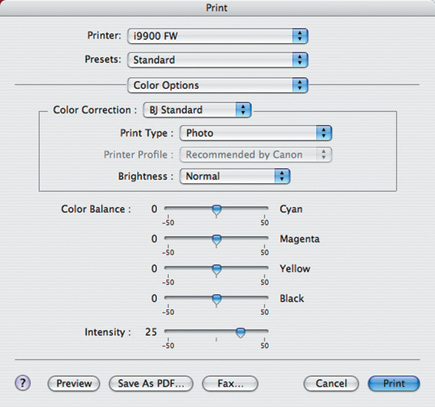
Most of the software that companies bundle with their printers is useless, but
Canon's Easy-PhotoPrint software is an exception and is capable of identifying
color space information automatically and transferring it accurately to the
i9900. Other features include batch printing for a large number of images of
differing types and aspect ratios, index printing to facilitate file management,
and printing the EXIF (Exchangeable Image File Format) data captured together
with the images. When used in combination with Canon's Digital Photo Professional
software, it can also print raw data.
 |
|
|
ICC profiles allow for the accurate translation of color data from any other compliant device into the Bubble Jet i9900's native color space. For professional users reliant on consistent color reproduction across devices (such as scanners, monitors, and printers) the profile permits flexibility by ensuring color accuracy during printing. In addition to Easy-PhotoPrint software, the i9900 includes Easy-PhotoPrint Plus to reduce redeye problems and smooth out facial imperfections. Easy-WebPrint software facilitates printing from the Internet by automatically formatting and scaling the output so that the entire page is printed, even when it extends over multiple screens.
 |
|
|
Facts
· Print Speed
(Up To) 4x6 Color Photo: Borderless--approximately 38 seconds;
8x10 Color Photo: Approximately 50 seconds
· Number Of Nozzles: 6144 nozzles (768x8 colors--C,
M, Y, Bk, PC, PM, R, G)
· Print Resolution: 4800x2400dpi in Color
· Paper Sizes: Letter, Legal, 4x6", 5x7",
11x17", 13x19", US #10 envelopes
· Interfaces: USB 2.0, USB 2.0 Hi-Speed, FireWire, Direct
Print Port (cables not included)
· OS Compatibility: Windows XP/Me/2000/98 and Mac OS
8.6 to 9.x, Mac OS X Version 10.2.1 to 10.3.x
· Estimated Street Price: $499
Big, beautiful, borderless 13x19 prints, for less than $500--the Canon
i9900 has a lot to offer.
| |||||||||
|

| ||||||||
- Log in or register to post comments

















 FEATURED VIDEO



Get the Latest Photo Tips, News & Reviews from Shutterbug!






| Camera Reviews Other Reviews | |
Mobile Reviews Photography Reviews Columns | |
News | |
Features | |
How-To | |
Resources |
 © 2024 Shutterbug
AVTech Media Americas Inc., USA
All rights reserved